


How the GS02 Glove Barcode Scanner Improves 3PL Warehouse Picking Efficiency?
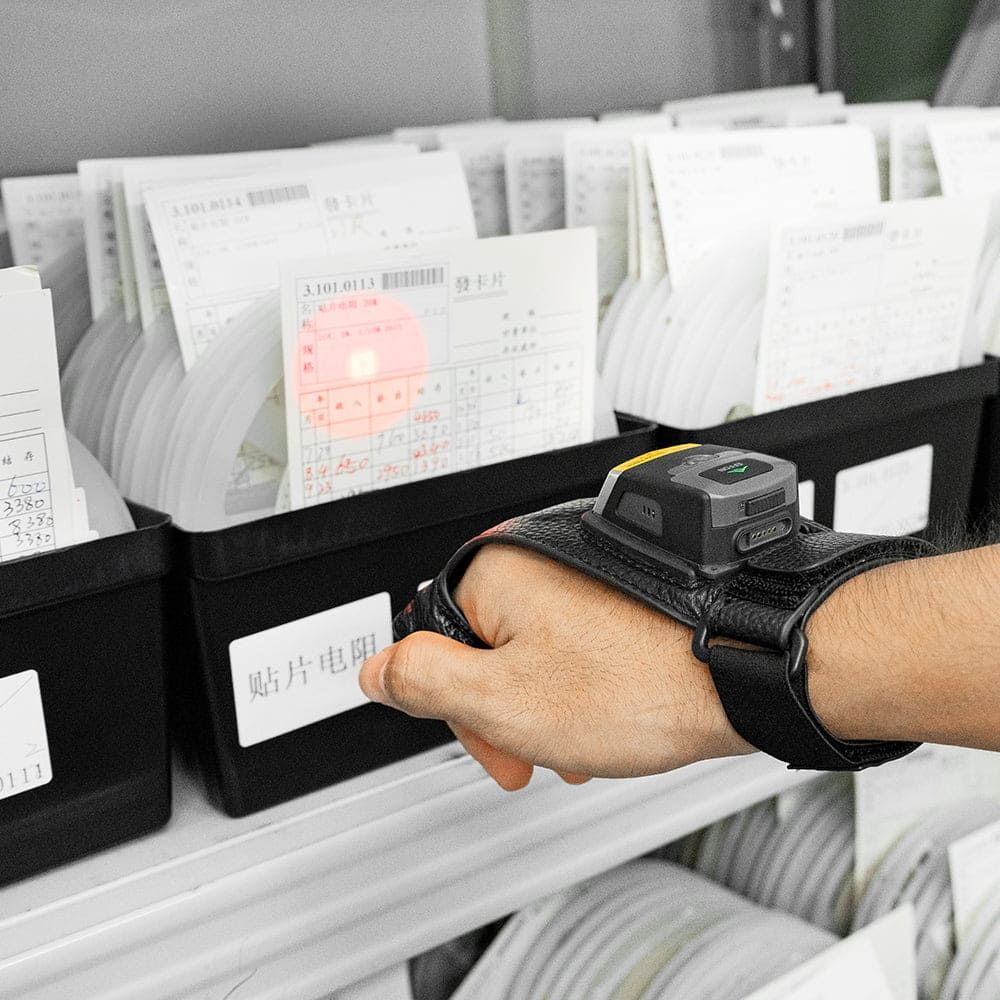
Your operation faces heavy pressure. Tight deadlines, high order volumes, and very small profit margins leave no room for mistakes. The picking process often becomes a slowdown point. Repeating scanner use and tired workers directly hurt speed and correctness. In fact, typical error rates in fulfillment centers sit around 1-3%, while modern eCommerce standards demand just 0.5% or less.
You need a fix that removes these problem spots. The GS02 glove barcode scanner by Effon offers a wearable, hands-free option. It fits on your hand, leaving both hands free for the job. This tool boosts speed, accuracy, comfort, integration, and ROI. It changes your warehouse operations. Wearable barcode scanners like the GS02 redefine efficiency. This glove scanner cuts costly mistakes and quickens work.
Key Takeaways
The GS02 glove scanner makes picking faster because workers no longer have to pick up a handheld scanner.
Workers pick items more accurately with the GS02, which cuts down on expensive mistakes and returns.
The light and easy-to-hold design of the GS02 makes workers less tired and more comfortable.
The GS02 hooks up easily to the systems you already have, so you can use it without making any changes to your setup.
The GS02 quickly earns back its cost by making work faster, cutting down on mistakes, and reducing downtime.
Why Evaluate the Workflow Before Evaluating the Scanner?
For a 3PL operation, the real question is not:
“How fast can this scanner decode a barcode?”
A more useful question is:
“Does this device improve our complete pick-and-scan workflow without creating new operational or ergonomic problems?”
Order picking is one of the most labor-intensive parts of warehouse operations. MHI cites research estimating that picking can represent roughly 35% of warehouse operating costs, while picker-to-parts remains a common picking model because of its flexibility.
That means even small workflow changes can matter—but they should be measured using operational KPIs rather than assumptions.
WERC's warehouse benchmarking framework includes metrics such as lines picked and shipped per hour, orders picked and shipped per hour, internal order cycle time, inventory count accuracy and order picking accuracy. These are much more useful for evaluating a wearable scanner than a manufacturer's theoretical “productivity improvement” percentage.
Where Can a Glove Barcode Scanner Actually Help?
Consider a repetitive picker-to-parts workflow.
With a traditional handheld barcode scanner, an operator may need to:
Reach for scanner → Grip scanner → Scan → Return or reposition scanner → Handle product → Move
With a wearable glove scanner:
Scan → Handle product → Move
The potential benefit is therefore not simply faster decoding. It is the removal of some repetitive scanner-handling actions.
MHI material on hands-free sorting similarly describes wearable scanning as allowing workers to keep their hands on packages rather than setting items down to interact with a handheld device.
This can be particularly relevant in:
Workflow |
Potential Value of Hands-Free Scanning |
|---|---|
Piece picking |
Scan locations and SKUs while continuing to handle products |
E-commerce fulfillment |
Move rapidly between item, tote and carton scans |
Sorting |
Scan and immediately move parcels |
Packing |
Scan products while handling cartons and packing materials |
Inventory counting |
Keep the scanner immediately available while moving between locations |
However, removing one motion does not automatically mean a measurable productivity gain.
Travel distance, product slotting, WMS response time, barcode quality, network latency, replenishment issues and worker training can all have a larger effect on overall picking performance.
Ergonomics: Hands-Free Does Not Automatically Mean Ergonomic
One common mistake is assuming that any wearable device is automatically more ergonomic than a handheld scanner.
That is not necessarily true.
OSHA identifies repetitive tasks, awkward postures, reaching, forceful exertions and prolonged work in the same position as warehouse ergonomic risk factors. It also notes that fast work pace and fatigue can compound musculoskeletal risks.
A glove scanner may reduce the need to repeatedly grip and retrieve a handheld device, but a proper evaluation should also consider:
Question |
Why It Matters |
|---|---|
Does the glove fit securely? |
Loose equipment can move during picking |
Is hand movement restricted? |
Pickers still need to grip cartons, totes and products |
Is weight distributed comfortably? |
Comfort may change over a full shift |
Is the trigger easy to activate? |
Repetitive triggering should feel natural |
Can different hand sizes be accommodated? |
One fit may not work for every picker |
Does the worker actually prefer it? |
Adoption matters as much as specifications |
For this reason, warehouse managers should involve real pickers, not only purchasing or IT staff, when evaluating a wearable device.
A five-minute office demonstration is not enough.
A more useful test involves real workers completing normal tasks for an extended period.
Barcode Quality Can Matter as Much as the Scan Engine
Another common purchasing mistake is focusing only on scanner specifications.
Poor barcode quality can limit even a high-performance scan engine.
Important variables include barcode size, module width, contrast, quiet zones, print quality, damage, label material, lighting and scan angle.
The current ISO/IEC 15416:2025 standard defines methods for measuring attributes of linear barcode symbols and deriving an overall barcode quality assessment.
Therefore, if your warehouse has difficult labels, the first question should not always be:
“Should we buy a more expensive scanner?”
It may also be:
“Are our barcode labels being printed and maintained at an acceptable quality?”
For a 3PL project, testing should include the actual customer labels, not only clean demonstration barcodes.
How to Choose the Right GS02 Scan Engine
GS02 can be configured with different scan engines. The correct option depends primarily on barcode type, barcode size and required scanning distance.
Scan Engine |
Barcode Type |
Typical Positioning |
Suitable Use |
|---|---|---|---|
Zebra SE965 |
1D |
Standard / mid-range |
Traditional 1D warehouse labels |
Zebra SE4107 |
1D + 2D |
Standard range |
General warehouse picking |
Zebra SE4750MR |
1D + 2D |
Mid-range |
Shelves, cartons and pallet labels |
Zebra SE55 / SE5500 |
1D + 2D |
Long range |
High racks and extended-distance scanning |
When SE965 Makes Sense
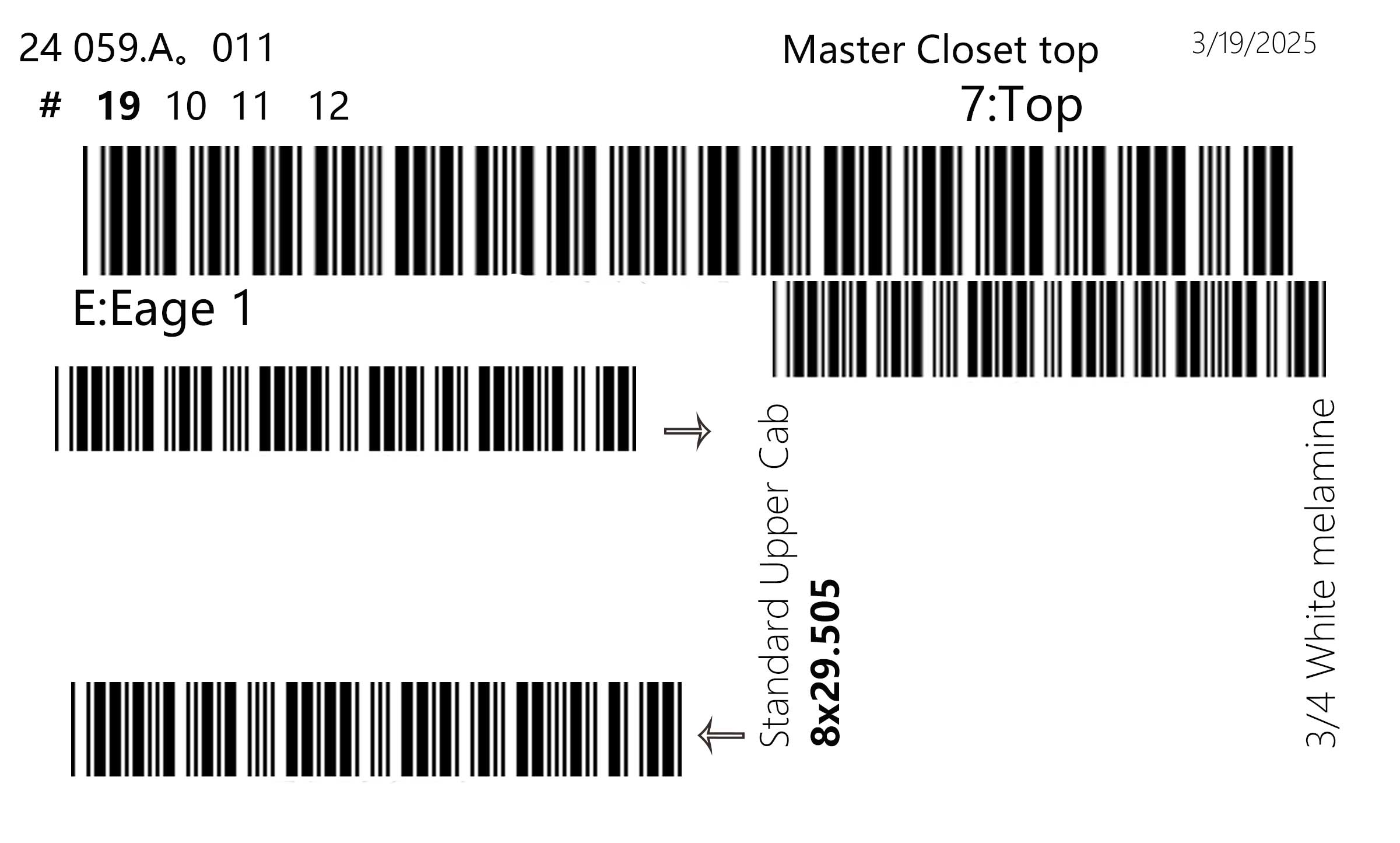
If your warehouse mainly uses traditional 1D barcodes and does not need to scan QR Codes or Data Matrix codes, a 1D scan engine is sufficient.
The Zebra SE965 uses a laser scan line, making it easier to target one specific barcode when multiple barcodes appear on the same label, helping reduce accidental scans.
When SE4107 Is Usually Enough
The Zebra SE4107 is a standard 2D scan engine suitable for everyday warehouse use. It can reliably scan both 1D and 2D barcodes, making it a practical choice for general picking, packing, and inventory operations.
When SE4750MR Adds Value
Mid-range scanning becomes useful when operators regularly need to capture shelf, carton or pallet labels without moving directly next to them.
The operational question should be:
How often does the picker actually benefit from the extra distance?
If 95% of scans occur within normal reach, a more expensive mid-range configuration may produce little operational benefit.
When SE55 Is Justified
Long-range scanning is most useful where location or pallet barcodes are intentionally positioned several meters away—for example, high warehouse racks or forklift-oriented workflows.
Bluetooth and WMS Integration: Check This Before Buying Hardware
A wearable scanner is only useful if it works correctly with your warehouse software.
GS02 supports Bluetooth communication modes including HID, SPP and BLE, but these modes serve different integration requirements.
HID
Bluetooth HID allows a device to behave similarly to a keyboard-type input device. The Bluetooth SIG defines HID profiles specifically for communication between Human Interface Devices and hosts.
This is often convenient when the WMS simply expects barcode data to appear in the currently active input field.
SPP
Bluetooth Serial Port Profile emulates a serial cable connection over Bluetooth using RFCOMM.
SPP can be more appropriate when the warehouse application needs direct control of the scanner connection or data stream.
BLE
Bluetooth Low Energy can support HID-style communication through HID over GATT and can also be used by application-specific integrations.
Before approving a scanner, IT teams should test:
pairing → reconnection → barcode data format → prefix/suffix → application focus → WMS processing → reconnect after battery replacement or device restart.
A scanner that decodes perfectly but reconnects unreliably can still create significant operational problems.
GS02 vs Other Warehouse Picking Technologies
GS02 should not be positioned as the best answer for every operation.
Different workflows favor different devices.
Technology |
Main Advantage |
Main Limitation |
Best Fit |
|---|---|---|---|
Glove Scanner |
Hands-free scan-and-handle workflow |
Comfort and fit must be validated |
Frequent repetitive picking |
Ring Scanner |
Compact and lightweight |
Some workers may prefer more hand support |
High-frequency piece picking |
Handheld Scanner |
Familiar, flexible, simple |
Occupies one hand during scanning |
General or occasional scanning |
Android PDA |
Scanner + screen + WMS application |
Larger and heavier |
Tasks needing visual instructions |
Voice Picking |
Hands and eyes can remain available |
Requires voice/WMS infrastructure |
Structured repetitive workflows |
Pick-to-Light |
Fast visual guidance at fixed locations |
Installation cost and fixed infrastructure |
Stable, high-volume pick faces |
A 3PL warehouse handling many different customer profiles may even use several technologies simultaneously.
For example:
PDA for receiving → glove scanner for piece picking → handheld scanner at packing → long-range scanner for pallet/rack work.
The goal should be choosing the best tool for each workflow—not forcing one technology across the entire facility.
A Practical Two-Week Pilot for a 3PL Warehouse
Instead of asking whether GS02 “improves productivity,” run a controlled pilot and measure it.
WERC's warehouse metrics provide useful guidance for choosing operational KPIs such as lines picked per person-hour, orders picked per person-hour and order picking accuracy.
Phase 1 — Establish a Baseline
Before introducing the wearable scanner, record normal performance for the same workflow.
KPI |
Current Baseline |
|---|---|
Lines picked per person-hour |
_____ |
Orders picked per person-hour |
_____ |
Order picking accuracy |
_____% |
Average pick cycle time |
_____ |
Rescans per 1,000 scans |
_____ |
Connection interruptions |
_____ |
Worker comfort score (1–5) |
_____ |
Phase 2 — Choose Representative Workers
A useful pilot should include operators with different experience levels, shifts, hand sizes and picking areas.
Testing only with one supervisor is unlikely to reflect normal operations.
Phase 3 — Use Real Work
Do not create a special demonstration environment.
Use normal:
location labels, SKU labels, totes, cartons, damaged labels, rack labels and WMS transactions.
The harder cases are often more informative than the easy ones.
Phase 4 — Run Full Working Shifts
Record both quantitative and qualitative results.
Pay attention to connection stability, battery changes, scanning failures, comfort, accidental triggers and worker feedback.
Phase 5 — Compare Results
After the pilot:
KPI |
Before |
GS02 Pilot |
Difference |
|---|---|---|---|
Lines picked/person-hour |
___ |
___ |
___ |
Orders picked/person-hour |
___ |
___ |
___ |
Picking accuracy |
___ |
___ |
___ |
Rescans/1,000 scans |
___ |
___ |
___ |
Average pick cycle |
___ |
___ |
___ |
Worker comfort |
___ |
___ |
___ |
This is much more meaningful than relying on a generic manufacturer productivity claim.
Build a Transparent ROI Model
Do not start the ROI calculation by assuming a 20%, 30% or 40% productivity improvement.
Start with measured pilot data.
A practical model can compare:
Cost / Benefit |
Annual Value |
|---|---|
Labor hours saved |
$_____ |
Reduced overtime |
$_____ |
Cost of picking errors avoided |
$_____ |
Scanner hardware cost |
-$_____ |
Replacement gloves |
-$_____ |
Spare batteries |
-$_____ |
Integration / setup |
-$_____ |
Training time |
-$_____ |
Estimated net benefit |
$_____ |
Then calculate:
Payback Period = Initial Deployment Cost ÷ Verified Monthly Benefit
If the pilot does not show a measurable operational benefit, the correct purchasing decision may be not to deploy the wearable scanner.
That is still a successful pilot because it prevented a poor investment.
What First-Hand Evidence Should You Ask the Supplier For?
A manufacturer's product page is not the same as operational evidence.
When reviewing any wearable scanner supplier, ask whether they can provide a documented deployment showing:
Evidence |
What to Look For |
|---|---|
Warehouse profile |
Size, industry and workflow |
Number of workers |
How many actual operators participated |
Test duration |
Hours, days or weeks |
Previous equipment |
What was replaced |
Scanner configuration |
Exact engine and wearable style |
Baseline KPI |
How performance was measured before |
Post-deployment KPI |
Same measurement after deployment |
Worker feedback |
Positive and negative comments |
Integration issues |
WMS, Bluetooth or device problems |
Limitations |
Situations where the system did not work well |
EFFON should apply the same standard to its own GS02 case studies.
Where independently verified or customer-authorized field data is not available, we believe that should be stated rather than replaced with an unsupported performance percentage.
Is GS02 a Good Fit for Your 3PL Warehouse?
GS02 is worth evaluating when:
Workers perform frequent scan-and-handle cycles, keeping both hands available has operational value, the existing WMS can accept the scanner's Bluetooth data, and the wearable style is comfortable for the actual pickers.
It may offer less value when:
Scanning is infrequent, the workflow is heavily screen-driven, workers dislike wearable devices, or most delays are caused by travel, replenishment, slotting or WMS response rather than scanner handling.
The best purchasing decision therefore comes from matching the device to the workflow—not from choosing the scanner with the longest feature list.
Conclusion
A glove barcode scanner for 3PL warehouse picking should be evaluated as part of a complete operational system.
Hands-free scanning can remove some repetitive device-handling steps and may make frequent pick-and-scan workflows more natural. But wearable hardware alone cannot fix inefficient slotting, poor barcode quality, slow WMS transactions, excessive travel distance or weak warehouse processes.
GS02 is one possible solution for frequent hands-free barcode scanning, with different scan engines available for standard, mid-range and long-range applications.
However, the safest way to decide whether it belongs in your operation is straightforward:
test it with your workers, your WMS, your labels and your KPIs.
Considering GS02 for a 3PL Pilot?
Rather than selecting a scan engine based only on specifications, send us:
your actual barcode sample, barcode dimensions, required scanning distance, host device/WMS, working environment and expected quantity.
We can recommend a configuration for testing before a larger deployment.
[View GS02 Technical Specifications]
[Request a GS02 Sample for Pilot Testing]
[Browse Glove Barcode Scanners]
Frequently Asked Questions
Does a glove barcode scanner always improve picking productivity?
No. The potential benefit depends on scan frequency, workflow design, travel distance, WMS performance, worker acceptance and other operational factors. A pilot test is the best way to determine the actual impact.
Which GS02 scan engine is best for normal 3PL picking?
For typical indoor picking involving common 1D and 2D barcodes at standard working distances, SE4107 is a logical configuration to evaluate first.
When should a warehouse consider SE4750MR?
SE4750MR is more relevant when workers regularly need additional scanning distance for shelves, cartons or pallet labels.
When is SE55 appropriate?
SE55 is intended for applications requiring substantially longer reading distances, such as rack or pallet labels positioned beyond normal picking reach.
Can GS02 replace an Android PDA?
Not necessarily. A glove scanner primarily provides barcode input. If workers require a screen for WMS instructions, photos, quantities or exceptions, a PDA or other host device may still be required.
Should every warehouse worker use the same glove?
Not necessarily. Hand size, comfort and job function vary. Testing different wearable styles with actual workers is recommended.
How long should a pilot run?
There is no universal duration, but testing across multiple full shifts—and ideally long enough to include normal workload variation—is more useful than a short office demonstration.